

Live Integration Pawapay Mobile Money Api Fastapi Python
Date: 2026-04-27 || Views: 864
Live Integration Tutorial: End-to-End PawaPay Sandbox Deposit & Webhook Capture with FastAPI
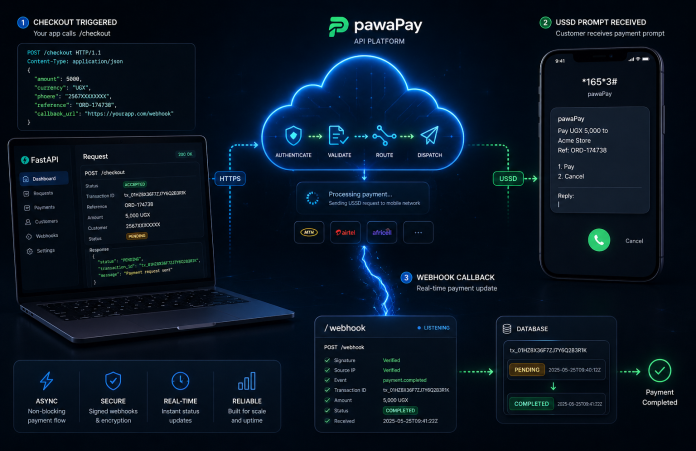
African mobile money networks are inherently asynchronous. When you initiate a deposit, the network doesn't return a "Success" or "Failed" status immediately; it returns an "Accepted" state, meaning the USSD prompt has been pushed to the user's phone. The actual terminal state (Success, Insufficient Funds, Timeout) arrives seconds or minutes later via a webhook.
Handling this asynchronous flow gracefully-without dropping transactions or falling victim to double-spend race conditions-is where most integrations fail.
In this surgical tutorial, we will build a production-ready, event-driven checkout flow using FastAPI and the pawaPay Python SDK. By the end, you will have a live endpoint capable of initiating V2 deposits and securely capturing the resulting webhooks.
Architecture Overview
Our application will handle two distinct operations:
-
The Outbound Request (
POST /checkout): Generates a unique UUID and asks the Rust-powered SDK to initiate the transaction with the Mobile Network Operator (MNO). -
The Inbound Webhook (
POST /webhook/pawapay): A public-facing listener that catches the MNO's asynchronous status update and updates our internal database.
Step 1: Environment & Initialization
Before writing the application logic, ensure your environment is bound to your SDK license.
1. Create your .env file:
 # PawaPay API Configuration
PAWAPAY_SANDBOX_API_TOKEN=your_sandbox_api_token_here
PAWAPAY_PRODUCTION_API_TOKEN=your_production_api_token_here
# Katorymnd SDK Licensing
KATORYMND_PAWAPAY_SDK_LICENSE_KEY=your_key_here
PAWAPAY_SDK_LICENSE_DOMAIN=your_domain_here
PAWAPAY_SDK_LICENSE_SECRET=your_key_here
2. Initialize the Secure Core: Run the setup command to generate your local .pawapay-imprint bytecode signature.
katorymnd-pawapay-setup
Step 2: The FastAPI Application
Create a file named main.py. This single file will contain our outbound checkout logic and our inbound webhook listener.
Part A: Setup and Outbound Checkout
import os
import asyncio
import logging
from fastapi import FastAPI, Request, HTTPException, BackgroundTasks
from fastapi.responses import JSONResponse
from dotenv import load_dotenv

# SDK Imports
from src.api.ApiClient import ApiClient
from src.utils.helpers import Helpers

load_dotenv()
logging.basicConfig(level=logging.INFO)
logger = logging.getLogger("PawaPayIntegration")

app = FastAPI(title="PawaPay Async Checkout")

# 1. Surgically Initialize the SDK
config_dict = {
    'api_token': os.environ.get("PAWAPAY_SANDBOX_API_TOKEN"),
    'environment': 'sandbox',
    'api_version': 'v2',
    'ssl_verify': False, # False for local development
    'license_key': os.environ.get("KATORYMND_PAWAPAY_SDK_LICENSE_KEY")
}
pawapay_client = ApiClient(config_dict)

# Mock Database for tracking transaction states
mock_db = {}

@app.post("/api/checkout")
async def initiate_checkout(phone: str, amount: str):
    """Initiates a mobile money push to the customer's phone."""
    deposit_id = Helpers.generate_unique_id()

    # 1. Save initial state to DB BEFORE calling the API
    mock_db[deposit_id] = {"status": "PENDING", "amount": amount}

    try:
        logger.info(f"Initiating V2 Deposit: {deposit_id}")
        response = await pawapay_client.initiate_deposit_v2(
            deposit_id=deposit_id,
            amount=amount,
            currency="UGX",
            payer_msisdn=phone,
            provider="MTN_MOMO_UGA",
            customer_message="FastAPI Test Checkout"
        )

        # 2. Handle the Immediate Response
        if response.get("status") in [200, 201, 202]:
            return JSONResponse(content={
                "message": "Please check your phone to enter your PIN.",
                "deposit_id": deposit_id,
                "status": "ACCEPTED"
            })
        else:
            mock_db[deposit_id]["status"] = "FAILED"
            raise HTTPException(status_code=400, detail="MNO rejected the initiation.")

    except Exception as e:
        logger.error(f"Checkout Crash: {str(e)}")
        raise HTTPException(status_code=500, detail="Internal SDK Error")
Part B: The Inbound Webhook Listener
When the user enters their PIN (or ignores the prompt), pawaPay fires a JSON payload to your server. We must catch this, verify it, and process it idempotently.
Add this directly below your /api/checkout route in main.py:
@app.post("/api/webhook/pawapay")
async def handle_pawapay_webhook(request: Request, background_tasks: BackgroundTasks):
    """Catches async terminal states from the MNO."""
    try:
        # 1. Parse the incoming JSON payload
        payload = await request.json()

        # PawaPay webhooks are often sent as a list of events
        if isinstance(payload, list):
            events = payload
        else:
            events = [payload]

        for event in events:
            deposit_id = event.get("depositId")
            new_status = event.get("status") # e.g., COMPLETED, FAILED

            logger.info(f"Webhook received for {deposit_id} -> {new_status}")

            # 2. Idempotency Check (CRITICAL)
            # Prevent double-processing if pawaPay retries the webhook
            db_record = mock_db.get(deposit_id)
            if not db_record:
                logger.warning(f"Webhook for unknown transaction: {deposit_id}")
                continue

            if db_record["status"] in ["COMPLETED", "FAILED"]:
                logger.info(f"Transaction {deposit_id} already processed. Ignoring.")
                continue

            # 3. Process the Terminal State
            if new_status == "COMPLETED":
                # Delegate heavy tasks (email receipts, unlocking content) to the background
                # so we can return a 200 OK to pawaPay immediately.
                background_tasks.add_task(fulfill_order, deposit_id)
                mock_db[deposit_id]["status"] = "COMPLETED"

            elif new_status in ["FAILED", "REJECTED"]:
                mock_db[deposit_id]["status"] = "FAILED"

        # Always return 200 OK quickly to prevent webhook retries
        return JSONResponse(status_code=200, content={"status": "Acknowledged"})

    except Exception as e:
        logger.error(f"Webhook Processing Error: {str(e)}")
        # Return 500 so pawaPay knows to retry the webhook later
        raise HTTPException(status_code=500, detail="Webhook processing failed")

def fulfill_order(deposit_id: str):
    """Background task to finalize the business logic."""
    logger.info(f" Order fulfilled for Deposit ID: {deposit_id}")
Step 3: Going Live in the Sandbox
To test this end-to-end, your local FastAPI server needs to be accessible to the internet so pawaPay can hit your webhook endpoint.
1. Start your FastAPI Server: Ensure your terminal is in your project directory with your virtual environment active.
uvicorn main:app --port 8000 --reload
2. Expose your port with Ngrok: In a separate terminal window, launch Ngrok.
Bash
ngrok http 8000
Ngrok will give you a public URL (e.g., https://abc-123.ngrok.app).
3. Register your Webhook URL: Go to your pawaPay Merchant Dashboard (Sandbox). Navigate to the Webhooks section and register your new URL: https://abc-123.ngrok.app/api/webhook/pawapay
4. Trigger the Test: Use a tool like Postman or cURL to hit your local checkout endpoint:
curl -X POST "http://localhost:8000/api/checkout?phone=256783456789&amount=5000"
Expected Flow:
-
Your terminal will log
Initiating V2 Deposit... -
You will receive an immediate
ACCEPTEDresponse in your terminal. -
Within 2-10 seconds, pawaPay will process the sandbox transaction.
-
Ngrok will catch the incoming POST request.
-
Your terminal will log
Webhook received for <UUID> -> COMPLETEDfollowed byOrder fulfilled.

Discover how to enhance user interaction on your WordPress site...

Glimpses of Greatness Crafted by Katorymnd
Dive into the journeys of clients I've empowered.
Click any project below to explore the results - each one a story of transformation.
pawaPay Java SDK - Payment Integration


pawaPay Java SDK: Seamless enterprise mobile money integration for Java applications. Features robust typing, thread-safe execution, and reliable transaction handling.
pawaPay Python SDK - Payment Integration
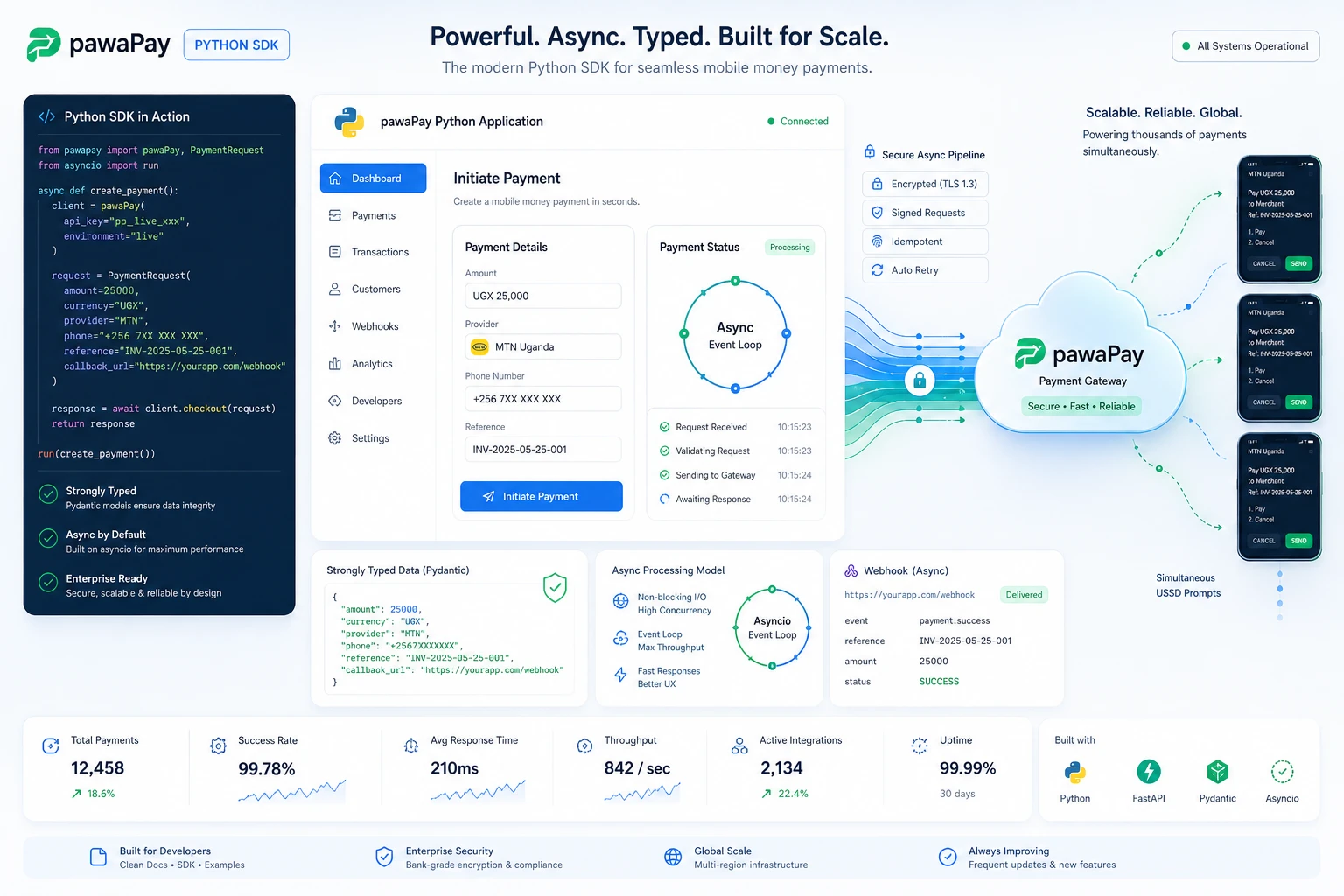
pawaPay Python SDK: Seamless enterprise mobile money integration for Python applications. Features robust typing and asynchronous transaction handling.
pawaPay Node.js SDK, Payments
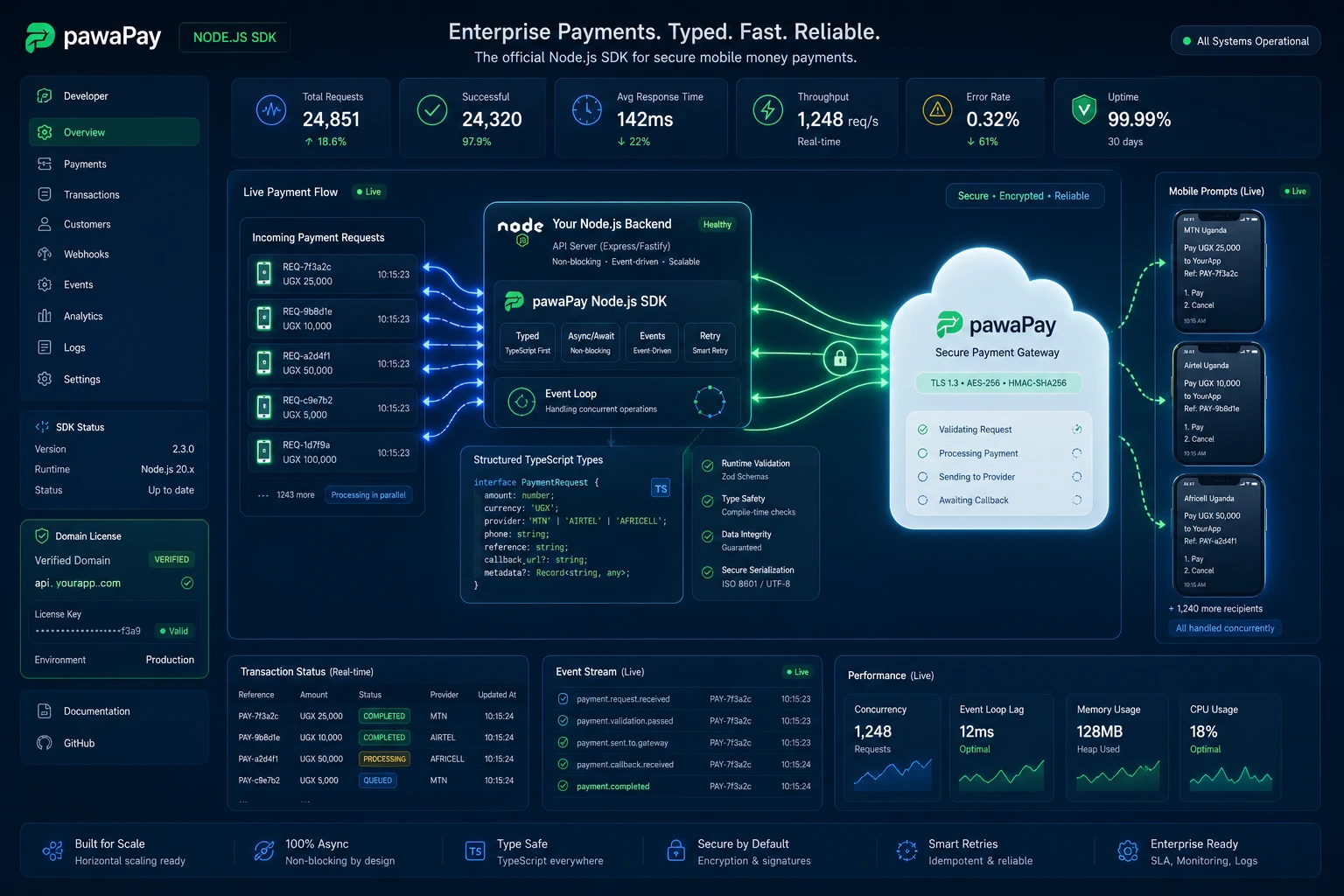
pawaPay Node.js SDK: Enterprise mobile money integration for Node.js & TypeScript. Strictly typed, async wrapper with simple domain-based licensing.
Clean My Mind - A Quiet Release

A privacy-first web ritual, no signup, say one sentence and let it go. Built with vanilla JavaScript, local-only storage, and focused on presence rather than analytics.
Professional Services
© Copyright 2026 - Katorymnd Web Solutions - All Rights Reserved. Registered with Uganda Registration Services Bureau.