

Live Integration Pawapay Mobile Money Api Fastapi Python
Date: 2026-04-27 || Views: 863
Live Integration Tutorial: End-to-End PawaPay Sandbox Deposit & Webhook Capture with FastAPI
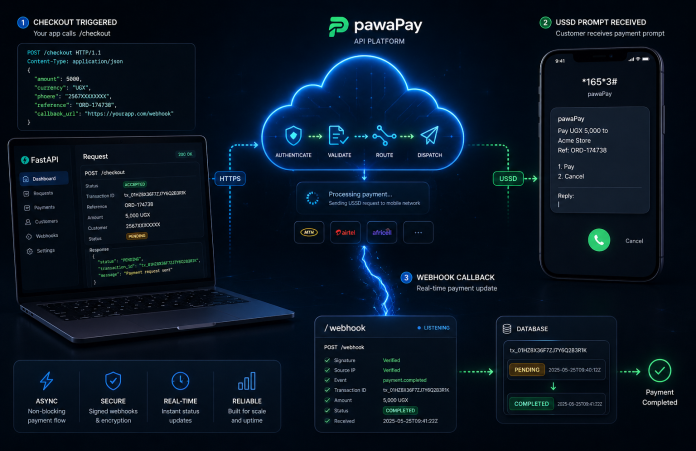
African mobile money networks are inherently asynchronous. When you initiate a deposit, the network doesn't return a "Success" or "Failed" status immediately; it returns an "Accepted" state, meaning the USSD prompt has been pushed to the user's phone. The actual terminal state (Success, Insufficient Funds, Timeout) arrives seconds or minutes later via a webhook.
Handling this asynchronous flow gracefully-without dropping transactions or falling victim to double-spend race conditions-is where most integrations fail.
In this surgical tutorial, we will build a production-ready, event-driven checkout flow using FastAPI and the pawaPay Python SDK. By the end, you will have a live endpoint capable of initiating V2 deposits and securely capturing the resulting webhooks.
Architecture Overview
Our application will handle two distinct operations:
-
The Outbound Request (
POST /checkout): Generates a unique UUID and asks the Rust-powered SDK to initiate the transaction with the Mobile Network Operator (MNO). -
The Inbound Webhook (
POST /webhook/pawapay): A public-facing listener that catches the MNO's asynchronous status update and updates our internal database.
Step 1: Environment & Initialization
Before writing the application logic, ensure your environment is bound to your SDK license.
1. Create your .env file:
 # PawaPay API Configuration
PAWAPAY_SANDBOX_API_TOKEN=your_sandbox_api_token_here
PAWAPAY_PRODUCTION_API_TOKEN=your_production_api_token_here
# Katorymnd SDK Licensing
KATORYMND_PAWAPAY_SDK_LICENSE_KEY=your_key_here
PAWAPAY_SDK_LICENSE_DOMAIN=your_domain_here
PAWAPAY_SDK_LICENSE_SECRET=your_key_here
2. Initialize the Secure Core: Run the setup command to generate your local .pawapay-imprint bytecode signature.
katorymnd-pawapay-setup
Step 2: The FastAPI Application
Create a file named main.py. This single file will contain our outbound checkout logic and our inbound webhook listener.
Part A: Setup and Outbound Checkout
import os
import asyncio
import logging
from fastapi import FastAPI, Request, HTTPException, BackgroundTasks
from fastapi.responses import JSONResponse
from dotenv import load_dotenv

# SDK Imports
from src.api.ApiClient import ApiClient
from src.utils.helpers import Helpers

load_dotenv()
logging.basicConfig(level=logging.INFO)
logger = logging.getLogger("PawaPayIntegration")

app = FastAPI(title="PawaPay Async Checkout")

# 1. Surgically Initialize the SDK
config_dict = {
    'api_token': os.environ.get("PAWAPAY_SANDBOX_API_TOKEN"),
    'environment': 'sandbox',
    'api_version': 'v2',
    'ssl_verify': False, # False for local development
    'license_key': os.environ.get("KATORYMND_PAWAPAY_SDK_LICENSE_KEY")
}
pawapay_client = ApiClient(config_dict)

# Mock Database for tracking transaction states
mock_db = {}

@app.post("/api/checkout")
async def initiate_checkout(phone: str, amount: str):
    """Initiates a mobile money push to the customer's phone."""
    deposit_id = Helpers.generate_unique_id()

    # 1. Save initial state to DB BEFORE calling the API
    mock_db[deposit_id] = {"status": "PENDING", "amount": amount}

    try:
        logger.info(f"Initiating V2 Deposit: {deposit_id}")
        response = await pawapay_client.initiate_deposit_v2(
            deposit_id=deposit_id,
            amount=amount,
            currency="UGX",
            payer_msisdn=phone,
            provider="MTN_MOMO_UGA",
            customer_message="FastAPI Test Checkout"
        )

        # 2. Handle the Immediate Response
        if response.get("status") in [200, 201, 202]:
            return JSONResponse(content={
                "message": "Please check your phone to enter your PIN.",
                "deposit_id": deposit_id,
                "status": "ACCEPTED"
            })
        else:
            mock_db[deposit_id]["status"] = "FAILED"
            raise HTTPException(status_code=400, detail="MNO rejected the initiation.")

    except Exception as e:
        logger.error(f"Checkout Crash: {str(e)}")
        raise HTTPException(status_code=500, detail="Internal SDK Error")
Part B: The Inbound Webhook Listener
When the user enters their PIN (or ignores the prompt), pawaPay fires a JSON payload to your server. We must catch this, verify it, and process it idempotently.
Add this directly below your /api/checkout route in main.py:
@app.post("/api/webhook/pawapay")
async def handle_pawapay_webhook(request: Request, background_tasks: BackgroundTasks):
    """Catches async terminal states from the MNO."""
    try:
        # 1. Parse the incoming JSON payload
        payload = await request.json()

        # PawaPay webhooks are often sent as a list of events
        if isinstance(payload, list):
            events = payload
        else:
            events = [payload]

        for event in events:
            deposit_id = event.get("depositId")
            new_status = event.get("status") # e.g., COMPLETED, FAILED

            logger.info(f"Webhook received for {deposit_id} -> {new_status}")

            # 2. Idempotency Check (CRITICAL)
            # Prevent double-processing if pawaPay retries the webhook
            db_record = mock_db.get(deposit_id)
            if not db_record:
                logger.warning(f"Webhook for unknown transaction: {deposit_id}")
                continue

            if db_record["status"] in ["COMPLETED", "FAILED"]:
                logger.info(f"Transaction {deposit_id} already processed. Ignoring.")
                continue

            # 3. Process the Terminal State
            if new_status == "COMPLETED":
                # Delegate heavy tasks (email receipts, unlocking content) to the background
                # so we can return a 200 OK to pawaPay immediately.
                background_tasks.add_task(fulfill_order, deposit_id)
                mock_db[deposit_id]["status"] = "COMPLETED"

            elif new_status in ["FAILED", "REJECTED"]:
                mock_db[deposit_id]["status"] = "FAILED"

        # Always return 200 OK quickly to prevent webhook retries
        return JSONResponse(status_code=200, content={"status": "Acknowledged"})

    except Exception as e:
        logger.error(f"Webhook Processing Error: {str(e)}")
        # Return 500 so pawaPay knows to retry the webhook later
        raise HTTPException(status_code=500, detail="Webhook processing failed")

def fulfill_order(deposit_id: str):
    """Background task to finalize the business logic."""
    logger.info(f" Order fulfilled for Deposit ID: {deposit_id}")
Step 3: Going Live in the Sandbox
To test this end-to-end, your local FastAPI server needs to be accessible to the internet so pawaPay can hit your webhook endpoint.
1. Start your FastAPI Server: Ensure your terminal is in your project directory with your virtual environment active.
uvicorn main:app --port 8000 --reload
2. Expose your port with Ngrok: In a separate terminal window, launch Ngrok.
Bash
ngrok http 8000
Ngrok will give you a public URL (e.g., https://abc-123.ngrok.app).
3. Register your Webhook URL: Go to your pawaPay Merchant Dashboard (Sandbox). Navigate to the Webhooks section and register your new URL: https://abc-123.ngrok.app/api/webhook/pawapay
4. Trigger the Test: Use a tool like Postman or cURL to hit your local checkout endpoint:
curl -X POST "http://localhost:8000/api/checkout?phone=256783456789&amount=5000"
Expected Flow:
-
Your terminal will log
Initiating V2 Deposit... -
You will receive an immediate
ACCEPTEDresponse in your terminal. -
Within 2-10 seconds, pawaPay will process the sandbox transaction.
-
Ngrok will catch the incoming POST request.
-
Your terminal will log
Webhook received for <UUID> -> COMPLETEDfollowed byOrder fulfilled.

Discover how to enhance user interaction on your WordPress site...

Affordable website design in Sweden. Get professional WordPress development, e-commerce,...

Glimpses of Greatness Crafted by Katorymnd
Dive into the journeys of clients I've empowered.
Click any project below to explore the results - each one a story of transformation.
pawaPay Java SDK - Payment Integration


pawaPay Java SDK: Seamless enterprise mobile money integration for Java applications. Features robust typing, thread-safe execution, and reliable transaction handling.
pawaPay Python SDK - Payment Integration
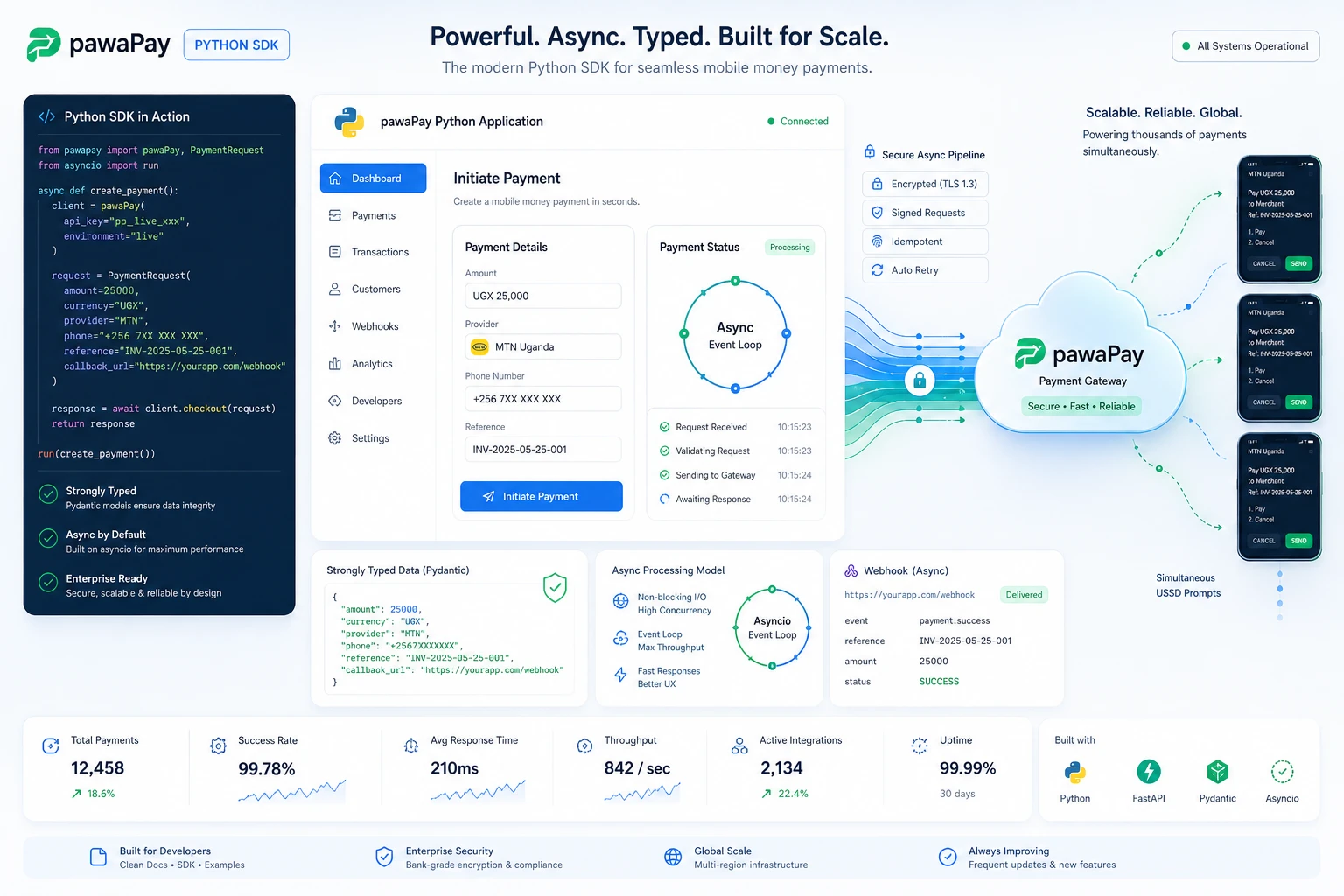
pawaPay Python SDK: Seamless enterprise mobile money integration for Python applications. Features robust typing and asynchronous transaction handling.
pawaPay Node.js SDK, Payments
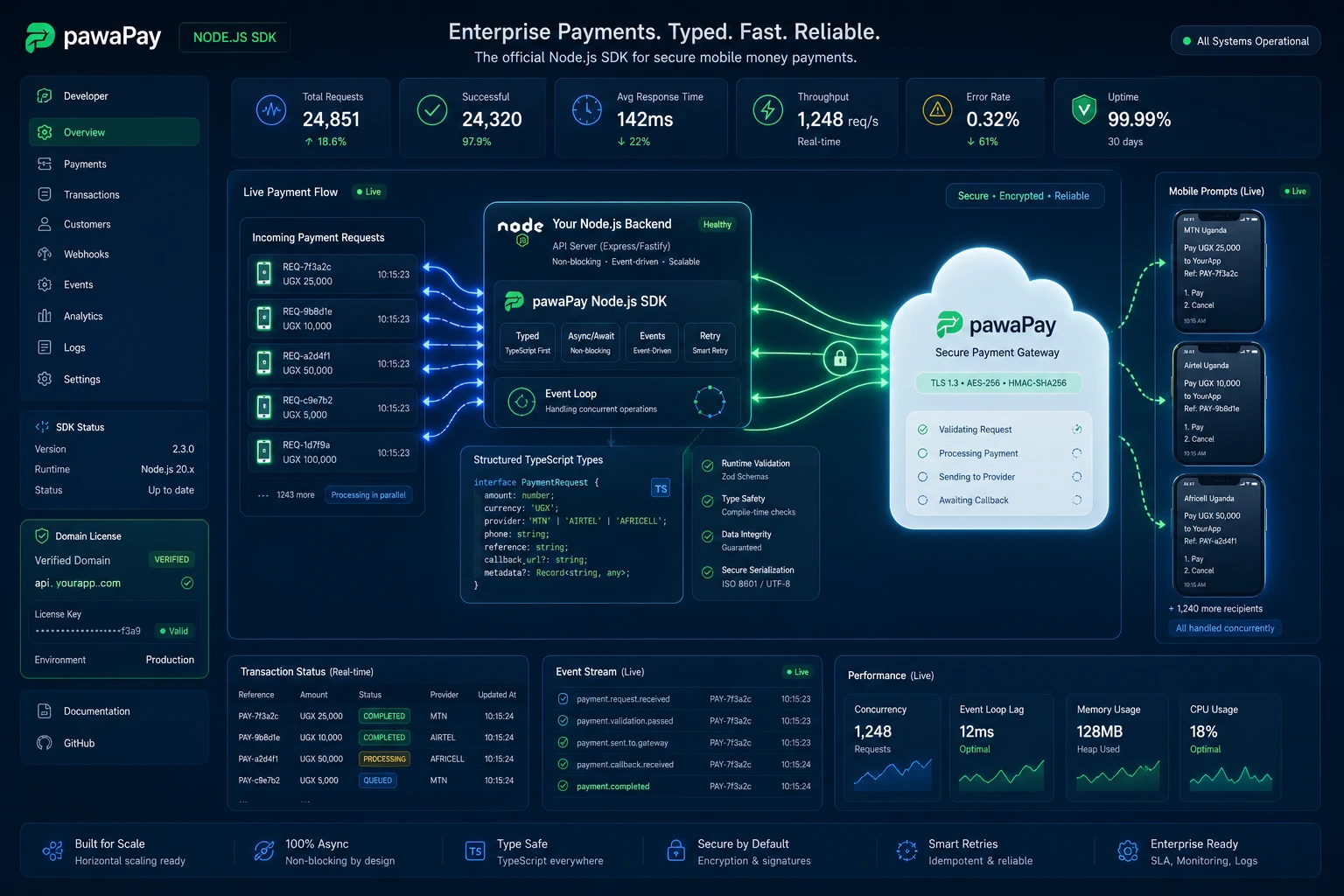
pawaPay Node.js SDK: Enterprise mobile money integration for Node.js & TypeScript. Strictly typed, async wrapper with simple domain-based licensing.
Clean My Mind - A Quiet Release

A privacy-first web ritual, no signup, say one sentence and let it go. Built with vanilla JavaScript, local-only storage, and focused on presence rather than analytics.
Professional Services
© Copyright 2026 - Katorymnd Web Solutions - All Rights Reserved. Registered with Uganda Registration Services Bureau.