
Fast, Careful, Mirror. Syncronaut Protects Your Work Daily.
Date: 2025-08-23 || Views: 1,102

Syncronaut, a grounded promise for calm file sync
People do not back up because they love the ritual, they back up because they fear loss. Projects grow across laptops, externals, and shared folders, then a small mistake becomes a long night. Syncronaut was born inside that ordinary chaos. It is a desktop app for Windows that keeps two locations in harmony, and it does so with a clear interface, a visible log, and a very simple contract between you and your files. Nothing mystical, nothing hidden, only work you can see and trust.
Syncronaut wraps proven system capabilities with a modern Electron interface, then lets PowerShell do the heavy lifting underneath. That combination is deliberate. The UI speaks plainly so anyone can use it, the engine speaks performance and reliability so professionals can depend on it. If you have ever tried to teach Robocopy or rsync to a friend, you know where the friction lives. Syncronaut removes that friction without removing the power.
The first run feels like a small ceremony. You choose a source folder, you choose a destination, you declare your intent, then you watch the work. The intent matters. Sometimes speed is the priority, for example when you want fresh copies of active code or design assets. Sometimes caution is the priority, for example when you are preparing a client handoff and want each file considered with care. Sometimes truth is the priority, for example when you need the destination to be an exact twin of the source, including deletions. Syncronaut calls these intents Fast, Legacy, and Mirror. The names are plain on purpose, and the app explains exactly what each one means before you press Start.
Once a sync begins, Syncronaut shows a real time log of what is happening. This is not decoration, it is the center of trust. You can see which files are copied, which are updated, which are skipped, and why each decision was made. When the run finishes you get a short summary with totals and duration. That summary becomes part of your routine, it tells you whether your habit is serving you.
Compare this rhythm to classic approaches. Raw copy commands are fast and flexible, but they punish small mistakes and they hide too much behind terse output. Pretty backup tools feel friendly, but they often turn into a black box at the moment you most need clarity. Syncronaut takes a middle road. It respects your attention by speaking in complete sentences, and it respects your time by letting the underlying system move data at full speed. The result feels like driving a quiet, powerful car, automatic where it should be, responsive where it counts.
Real work is messy, so the app is forgiving in the right ways. Long paths are handled, deep trees do not scare it, flaky external drives are treated patiently, and network shares behave as first class citizens. If you prefer to keep installers and portable builds separate, Syncronaut supports both, so you can carry it on a stick or install it for a team machine. When you download a release you can verify the checksum with a single PowerShell command, then you know the binary you run is the binary we published. Trust grows in these small confirmations.
Safety is not a slogan here, it is a pattern. Before a destructive Mirror run the app reminds you that deletions will occur on the destination if the source no longer has those files, then it asks you to confirm. That pause is intentional. It turns a risky click into a conscious choice. When something unusual happens, a permissions edge case or a locked file, the message in the log points to the reason in words you can use when asking for help.
A daily schedule is often the difference between good intentions and real protection. On Windows you can pair Syncronaut with Task Scheduler and create a calm, automatic rhythm that fits your life. Nightly copies for a student laptop. Hourly deltas for an active repository. A Friday mirror to a larger disk for a photography archive. These are not marketing stories, they are ordinary weeks made safer by a small habit.
The licensing model mirrors the product philosophy, simple and fair. There is a Free edition for light use and early exploration. There is a Pro edition for full depth and frequent work. Licenses are per device and are activated with regional friendly payments through PawaPay and PesaPal. You pay once for a machine, then you get to work. No surprise renewals, no forced online accounts to run a local copy job.
Developers will appreciate the openness. The project lives on GitHub where you can read issues, suggest improvements, and follow releases. The homepage keeps downloads, checksums, and guidance in one place so new users do not have to hunt. This transparency is practical, it lets anyone verify what the tool claims to do, and it invites better ideas from people who live with real constraints.
Future work is honest work. Linux support is planned and macOS is on the horizon, but the current focus is to keep the Windows experience stable and predictable. Built in scheduling is planned so you can keep routines inside the app if you prefer that style. Optional cloud targets like Google Drive and S3 are on the roadmap for teams who want a hybrid pattern, yet local to local sync will remain the foundation because it is fast, private, and resilient when the network is not. Conflict guidance will improve so you get clear help when both sides change between runs. Team licensing will make adoption across many machines straightforward for small offices.
If you are new to backup culture, start small. Choose one folder that would truly hurt to lose, point it at a second disk, pick the intent that matches your goal, then let the app show its work. If you are an experienced engineer, use Fast during the day and Mirror at the end of the week, and keep the log as a simple audit trail. If you are handing work to a client, use the careful path and confirm counts with the summary, then deliver with a calm mind. These examples are not exotic, they are the texture of a normal month, and this is where Syncronaut pays for itself.
People often ask why not use cloud sync for everything. Cloud is excellent for collaboration and for an off site copy, it is not the complete story for speed, privacy, and control. Local to local sync finishes quickly, respects your bandwidth, and keeps sensitive material off a third party server when that matters. Many teams do both, a fast local mirror for daily safety, and a slower cloud push for off site resilience. Syncronaut focuses on the part you control completely, then leaves room for you to pair it with whatever cloud you trust.
Syncronaut is not trying to win attention with novelty. It is trying to win trust with steadiness. The interface stays quiet. The engine stays strong. The log stays readable. If you adopt it, the benefit will not be a single dramatic save, it will be a long string of small successes that never become stories because nothing went wrong. That is the point. Good tools are invisible most of the time, then obvious when you need proof.
If this sounds like the kind of relationship you want with your files, begin today. Download from the homepage, glance at the checksum, run the installer or the portable build, set your first pair, and let a simple ritual replace anxiety. Visit the repository if you want to see the work or leave a suggestion. Tell a colleague who keeps meaning to start backing up but does not know where to begin. Calm is contagious when the path is simple.
Your files are more than data. They are drafts of a book, photos from a weekend, invoices that keep a small business alive, a repository that represents months of learning. Syncronaut was built to respect that weight with practical choices and quiet polish. Keep two places in tune, understand what happened, and move on with your day. That is the promise.
Learn more on the homepage and explore the code on GitHub.

Explore Katorymnd's excellence in Ugandan web design, focusing on quality,...
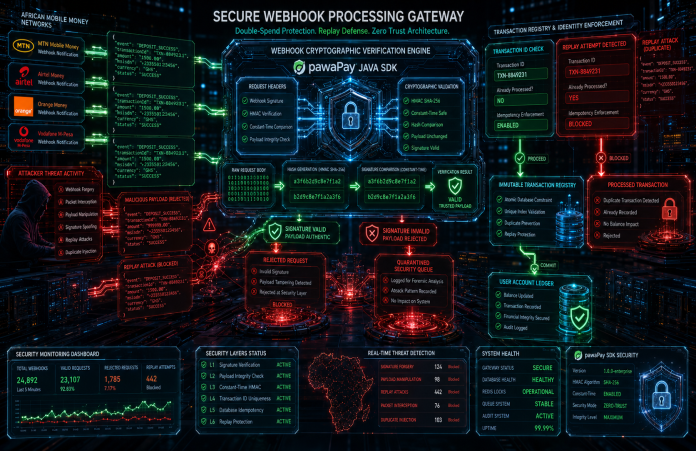
HMAC signature verification plus atomic idempotent database locks - stopping...
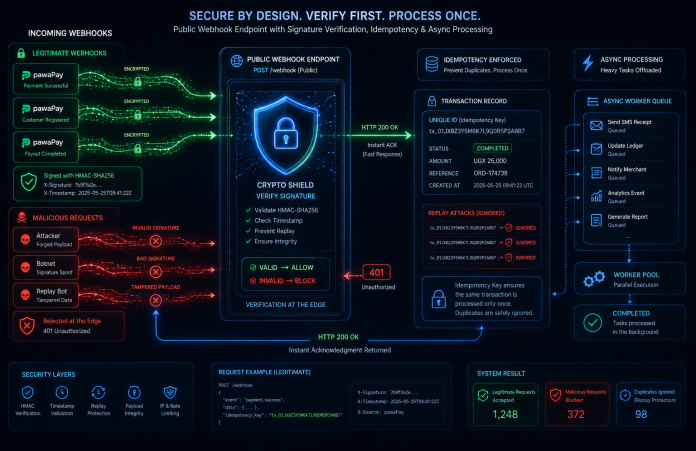
HMAC-SHA256 validation, idempotent database locks & async workers to stop...
Glimpses of Greatness Crafted by Katorymnd
Dive into the journeys of clients I've empowered.
Click any project below to explore the results - each one a story of transformation.
pawaPay Java SDK - Payment Integration


pawaPay Java SDK: Seamless enterprise mobile money integration for Java applications. Features robust typing, thread-safe execution, and reliable transaction handling.
pawaPay Python SDK - Payment Integration
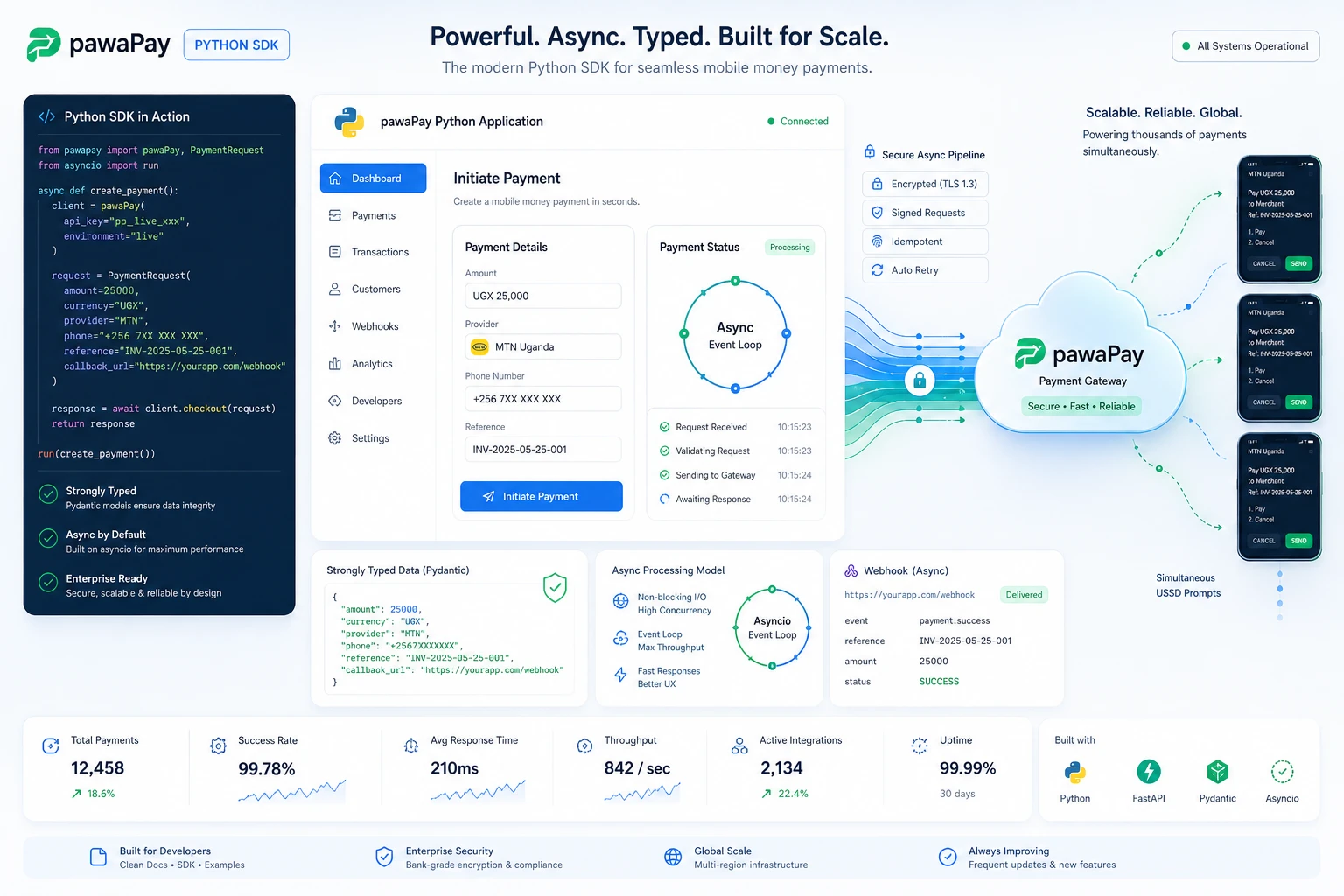
pawaPay Python SDK: Seamless enterprise mobile money integration for Python applications. Features robust typing and asynchronous transaction handling.
pawaPay Node.js SDK, Payments
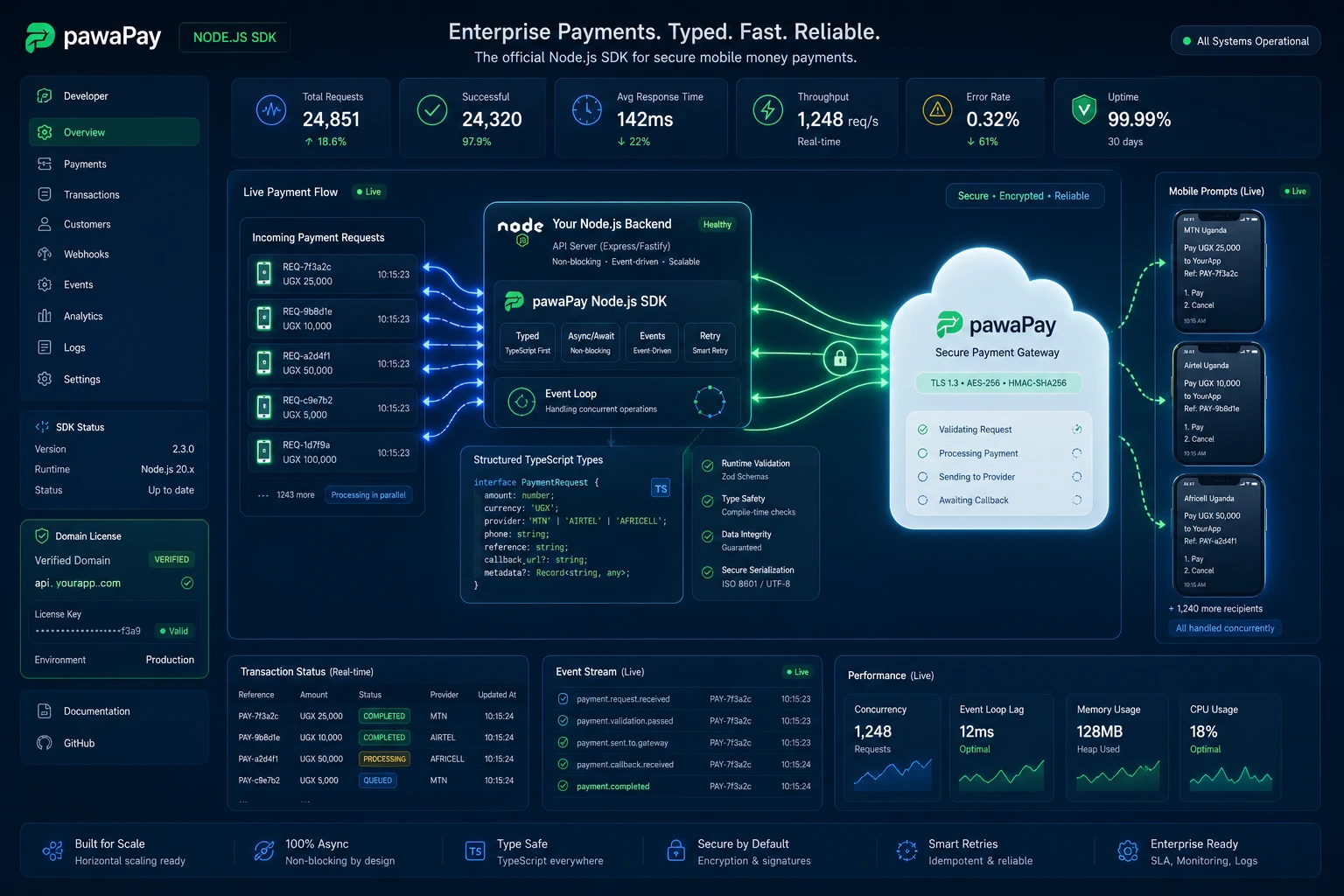
pawaPay Node.js SDK: Enterprise mobile money integration for Node.js & TypeScript. Strictly typed, async wrapper with simple domain-based licensing.
Clean My Mind - A Quiet Release

A privacy-first web ritual, no signup, say one sentence and let it go. Built with vanilla JavaScript, local-only storage, and focused on presence rather than analytics.
Professional Services
© Copyright 2026 - Katorymnd Web Solutions - All Rights Reserved. Registered with Uganda Registration Services Bureau.