

Dual Version Pawapay Sdk, Migrate Safely, Ship Now
Date: 2025-08-12 || Views: 1,072

pawaPay PHP SDK v4.4.0, V1 and V2 in one codebase, smooth migration at your pace
Upgrading a payments stack usually feels like changing tires while the car is moving. You want new capabilities and better reliability, but your live flows must keep earning. With pawaPay PHP SDK v4.4.0 you no longer choose between stability and progress. The SDK now supports V1 and V2 in the same codebase, so you can pick the version per environment, per route, or even per request. The goal is simple, keep V1 where it is proven and dependable, enable V2 where it unlocks value, then move forward calmly.
The idea behind dual version support is practical. Traditional upgrades force an all or nothing decision, which increases risk and slows teams down. By allowing both versions to run side by side, the SDK creates a safe bridge. You can start with V1 as your baseline, switch selected flows to V2 when you are ready, and roll back instantly if your monitoring shows a surprise. The experience becomes more predictable for engineers and quieter for users.
Several changes make this work well in day to day development. The client is version aware, so you pass either v1 or v2 when you construct it. The hosted payment page works across both versions, which means a simple redirect can collect a payment without custom checkout screens. Configuration files are split by version, which reduces confusion when experimenting and keeps markets honest. Failure mapping has been improved, messages are sharper, and your logs tell a clearer story.
Getting started takes a minute. You declare tokens and the default version in a dotenv file, you install the SDK with Composer, and you create a small folder for logs and examples so your experiments are easy to track and repeat. Here is a minimal .env that keeps secrets out of code and sets the default version clearly.
ENVIRONMENT=sandbox
PAWAPAY_SANDBOX_API_TOKEN=your_sandbox_api_token_here
PAWAPAY_PRODUCTION_API_TOKEN=your_production_api_token_here
PAWAPAY_API_VERSION=v1
Installation stays familiar and light.
composer require katorymnd/pawa-pay-integration
Once the environment is ready, you can run a stable V1 baseline. The script below is intentionally direct, it reads env values, builds a V1 client, initiates a deposit, and prints a JSON response. It is the kind of file you keep in an examples directory and run whenever you want to confirm that credentials, markets, and logging still align.
<?php
/**
 * File: examples/v1_deposit_example.php
 *
 * Purpose: run a classic V1 deposit initiation as a stable baseline.
 * Behavior: reads .env, constructs a V1 client, initiates a deposit, prints JSON.
 * Notes: use this to validate credentials, market setup, and basic logging before any V2 rollout.
 */

require_once __DIR__ . '/../vendor/autoload.php';

use Dotenv\Dotenv;
use Katorymnd\PawaPayIntegration\Api\ApiClient;

$dotenv = Dotenv::createImmutable(__DIR__ . '/..');
$dotenv->load();

$environment = getenv('ENVIRONMENT') ?: 'sandbox';
$sslVerify   = ($environment === 'production');
$apiTokenKey = 'PAWAPAY_' . strtoupper($environment) . '_API_TOKEN';
$apiToken    = $_ENV[$apiTokenKey] ?? null;

if (!$apiToken) {
    http_response_code(500);
    header('Content-Type: application/json');
    echo json_encode(['ok' => false, 'error' => 'Missing API token']);
    exit;
}

/**
 * Construct a V1 client to keep production behavior predictable while you explore V2 in parallel.
 */
$client = new ApiClient($apiToken, $environment, $sslVerify, 'v1');

/**
 * Prepare a clean payload. Always normalize the phone to digits with country code,
 * and keep currency strictly ISO.
 */
$payload = [
    'amount'      => '15000',
    'currency'    => 'UGX',
    'phoneNumber' => '256753456789',
    'mno'         => 'MTN',
    'reason'      => 'Order #1234',
];

try {
    $resp = $client->initiateDeposit($payload);
    header('Content-Type: application/json');
    echo json_encode(['ok' => true, 'version' => 'v1', 'response' => $resp], JSON_PRETTY_PRINT);
} catch (Throwable $e) {
    http_response_code(500);
    header('Content-Type: application/json');
    echo json_encode(['ok' => false, 'version' => 'v1', 'error' => $e->getMessage()], JSON_PRETTY_PRINT);
}
When you are ready to try the new flow, you can exercise the V2 hosted payment page. The method returns a redirect URL when a redirect is appropriate, and the example sends the user there immediately. Logging is placed on both success and error paths so you can compare behavior with your V1 baseline.
<?php
/**
 * File: examples/v2_hosted_payment_example.php
 *
 * Purpose: exercise V2 initiateDepositAuto and handle a hosted redirect in one move.
 * Behavior: constructs a V2 client, initiates a payment, redirects to the hosted page if provided,
 *           or prints the response when no redirect is required.
 * Notes: keep separate log files for success and failure so you can contrast V1 and V2 calmly.
 */

require_once __DIR__ . '/../vendor/autoload.php';

use Dotenv\Dotenv;
use Monolog\Logger;
use Monolog\Handler\StreamHandler;
use Katorymnd\PawaPayIntegration\Api\ApiClient;
use Katorymnd\PawaPayIntegration\Utils\Helpers;

$dotenv = Dotenv::createImmutable(__DIR__ . '/..');
$dotenv->load();

$environment = getenv('ENVIRONMENT') ?: 'sandbox';
$sslVerify   = ($environment === 'production');
$apiTokenKey = 'PAWAPAY_' . strtoupper($environment) . '_API_TOKEN';
$apiToken    = $_ENV[$apiTokenKey] ?? null;

if (!$apiToken) {
    http_response_code(500);
    echo 'Missing API token';
    exit;
}

$log = new Logger('pawaPayV2');
$log->pushHandler(new StreamHandler(__DIR__ . '/../logs/payment_success.log', \Monolog\Level::Info));
$log->pushHandler(new StreamHandler(__DIR__ . '/../logs/payment_failed.log',  \Monolog\Level::Error));

$client = new ApiClient($apiToken, $environment, $sslVerify, 'v2');

$amount               = '15000';
$currency             = 'UGX';
$msisdn               = '256753456789';
$mno                  = 'MTN';
$returnUrl            = 'https://your-app.example/returnUrl.php';
$statementDescription = 'Order 1234';
$depositId            = Helpers::generateUniqueId();

try {
    $resp = $client->initiateDepositAuto([
        'amount'      => $amount,
        'currency'    => $currency,
        'phoneNumber' => $msisdn,
        'mno'         => $mno,
        'returnUrl'   => $returnUrl,
        'reason'      => $statementDescription,
        'metadata'    => ['depositId' => $depositId],
    ]);

    if (!empty($resp['redirectUrl'])) {
        $log->info('Redirect to hosted payment', ['url' => $resp['redirectUrl'], 'depositId' => $depositId]);
        header('Location: ' . $resp['redirectUrl']);
        exit;
    }

    $log->info('Hosted page not required', ['resp' => $resp]);
    header('Content-Type: application/json');
    echo json_encode(['ok' => true, 'version' => 'v2', 'response' => $resp], JSON_PRETTY_PRINT);

} catch (Throwable $e) {
    $log->error('Hosted payment error', ['error' => $e->getMessage()]);
    http_response_code(500);
    echo 'Payment initiation failed, check logs';
}
After the redirect completes, your application must verify the transaction. Many teams prefer to avoid an internal HTTP call to a sibling URL. You can include a verifier directly and keep the flow inside one process. This approach reduces moving parts and gives you clearer stack traces when something needs attention.
<?php
/**
 * File: examples/verify_inline_demo.php
 *
 * Purpose: handle a provider returnUrl and verify the transaction locally, no cURL required.
 * Behavior: constructs a client, reads the transaction id from the request, checks status, prints JSON.
 * Notes: always validate inputs, and keep TLS verification strict in production.
 */

require_once __DIR__ . '/../vendor/autoload.php';

use Dotenv\Dotenv;
use Katorymnd\PawaPayIntegration\Api\ApiClient;

$dotenv = Dotenv::createImmutable(__DIR__ . '/..');
$dotenv->load();

$environment = getenv('ENVIRONMENT') ?: 'sandbox';
$sslVerify   = ($environment === 'production');
$apiVersion  = getenv('PAWAPAY_API_VERSION') ?: 'v2';
$apiTokenKey = 'PAWAPAY_' . strtoupper($environment) . '_API_TOKEN';
$apiToken    = $_ENV[$apiTokenKey] ?? null;

if (!$apiToken) {
    http_response_code(500);
    echo 'Missing API token';
    exit;
}

$client = new ApiClient($apiToken, $environment, $sslVerify, $apiVersion);

$transactionId = $_GET['txId'] ?? $_POST['txId'] ?? null;

if (!$transactionId) {
    http_response_code(400);
    echo 'Missing transactionId';
    exit;
}

try {
    $verification = $client->checkTransactionStatus(['transactionId' => $transactionId]);
    header('Content-Type: application/json');
    echo json_encode(['verified' => true, 'result' => $verification], JSON_PRETTY_PRINT);
} catch (Throwable $e) {
    http_response_code(500);
    echo 'Verification failed, ' . $e->getMessage();
}
If you need surgical control over which version runs for a given request, a tiny router class can encode your rules. You can base the decision on tenant settings, market, or a feature flag. The code below centralizes that choice so your controllers stay clean.
<?php
/**
 * File: src/VersionRouter.php
 *
 * Purpose: decide the pawaPay API version for each request without scattering logic across controllers.
 * Behavior: returns v2 when an explicit flag is present or when the market matches a rule, otherwise returns the global default.
 */

final class VersionRouter
{
    /**
     * Decide the API version per request context.
     * @param array $ctx Request level hints such as tenant flags or market codes.
     * @return string Either 'v1' or 'v2'.
     */
    public static function decide(array $ctx): string
    {
        if (!empty($ctx['forceV2'])) {
            return 'v2';
        }
        if (!empty($ctx['market']) && in_array($ctx['market'], ['NG', 'KE'], true)) {
            return 'v2';
        }
        return getenv('PAWAPAY_API_VERSION') ?: 'v1';
    }
}
Operational habits finish the picture. Keep version specific logs, because comparing V1 and V2 becomes faster when each line already tells you which engine produced it. Attach a correlation id to each request so support can follow a customer journey across your web layer and the payment layer. Normalize phone numbers to digits with the country code, lock each market to approved currencies, and put your order reference into metadata so reconciliation feels effortless. When a callback arrives, verify status through the SDK rather than trusting query parameters alone. In production, enforce TLS and keep sslVerify set to true. Keep access tokens out of the repository, rotate them regularly, and mask personal data in logs.
The migration itself should feel calm. Begin with V1 as your default in production, then bring V2 up in sandbox to get a sense of payloads and responses. Run a dark launch that sends a tiny slice of traffic through V2, pick a narrow market or a single tenant to start, then watch latency and failure codes for a full cycle. If anything surprising appears, return to V1 with a single parameter or environment change, review your logs, then try again with better confidence. When several flows remain quiet across your monitoring for a while, expand V2 to more traffic, and retire V1 only when your data says the time is right.
If you prefer diagrams and dashboards, you can picture the flow like a fork in a river. Your app enters, the version router makes a measured choice, the client for that version executes, the hosted page redirects if needed, and the verifier stamps the outcome. At each junction you have a clear place to log, a clear place to measure, and a clear place to roll back. This is the difference between a cliff and a bridge.
You can explore the SDK on GitHub and install it through Composer. The repository lives at https://github.com/katorymnd/pawa-pay-integration, and the package name is ready for a single command, composer require katorymnd/pawa-pay-integration.
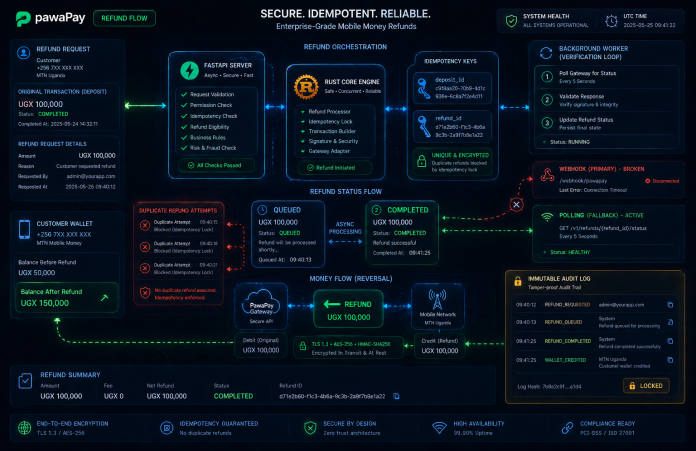
Idempotent V2 refunds, async state verification & immutable audit logging...


Discover Katorymnd's skilled Ugandan web design team, their diverse expertise,...
Glimpses of Greatness Crafted by Katorymnd
Dive into the journeys of clients I've empowered.
Click any project below to explore the results - each one a story of transformation.
pawaPay Java SDK - Payment Integration


pawaPay Java SDK: Seamless enterprise mobile money integration for Java applications. Features robust typing, thread-safe execution, and reliable transaction handling.
pawaPay Python SDK - Payment Integration
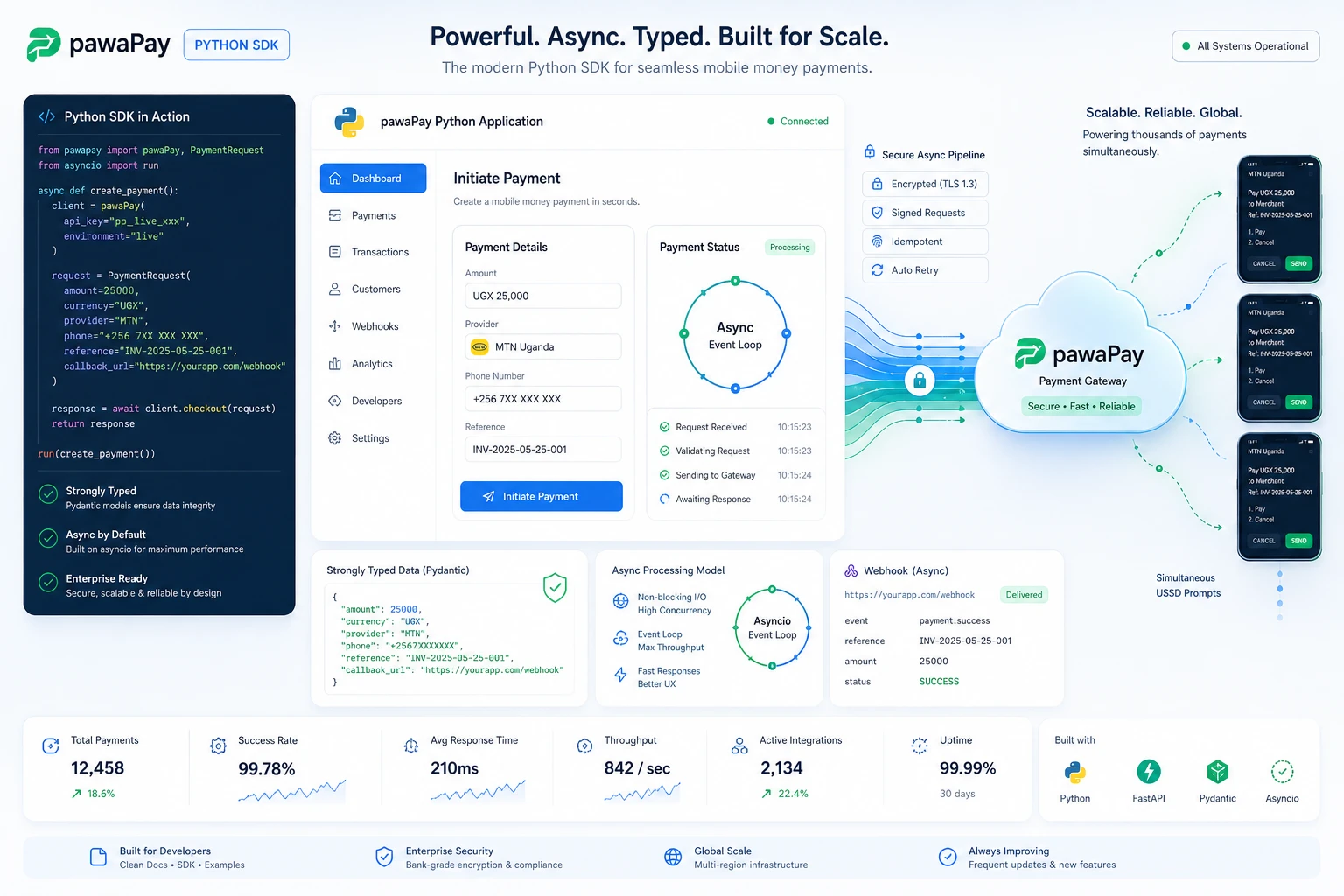
pawaPay Python SDK: Seamless enterprise mobile money integration for Python applications. Features robust typing and asynchronous transaction handling.
pawaPay Node.js SDK, Payments
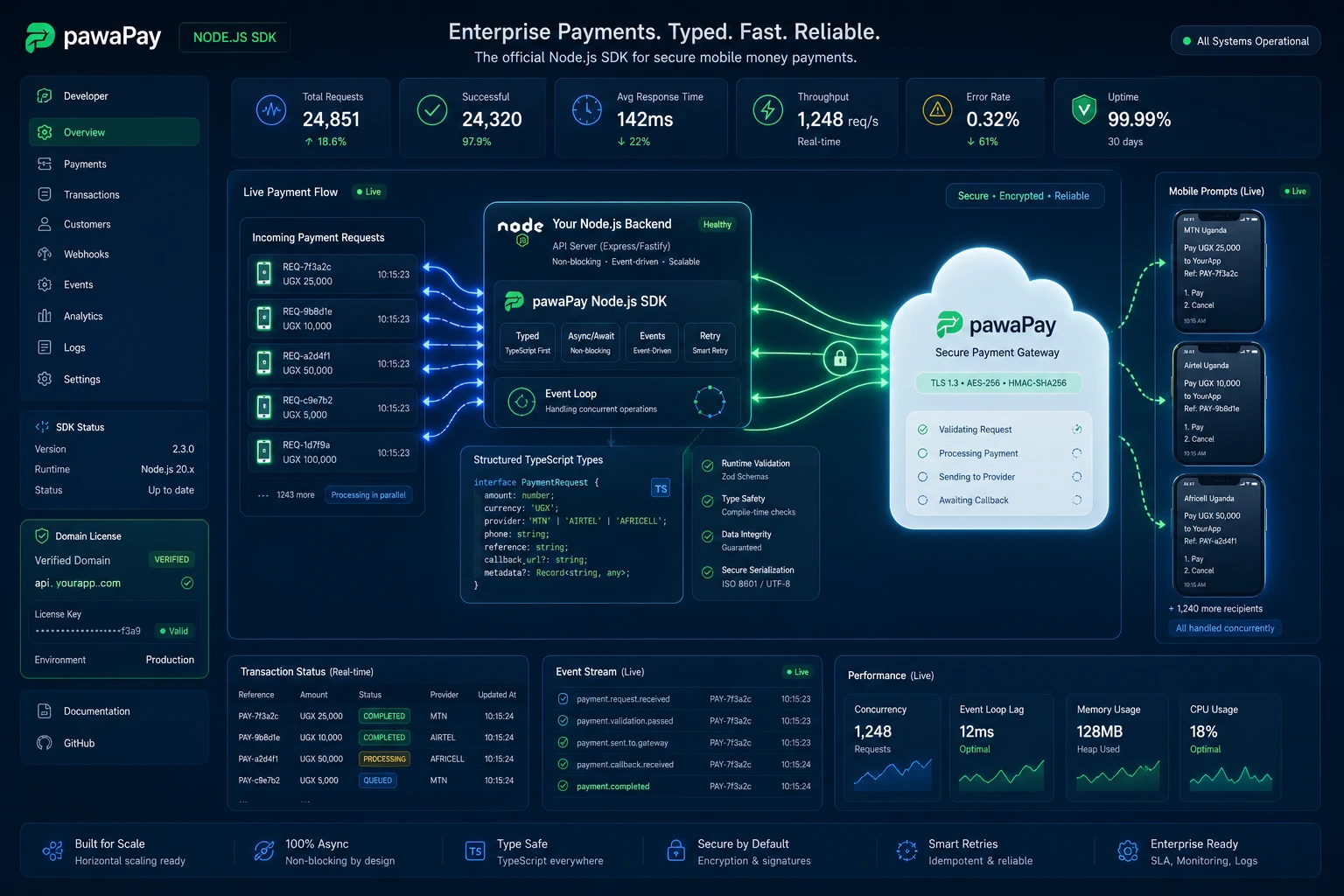
pawaPay Node.js SDK: Enterprise mobile money integration for Node.js & TypeScript. Strictly typed, async wrapper with simple domain-based licensing.
Clean My Mind - A Quiet Release

A privacy-first web ritual, no signup, say one sentence and let it go. Built with vanilla JavaScript, local-only storage, and focused on presence rather than analytics.
Professional Services
© Copyright 2026 - Katorymnd Web Solutions - All Rights Reserved. Registered with Uganda Registration Services Bureau.